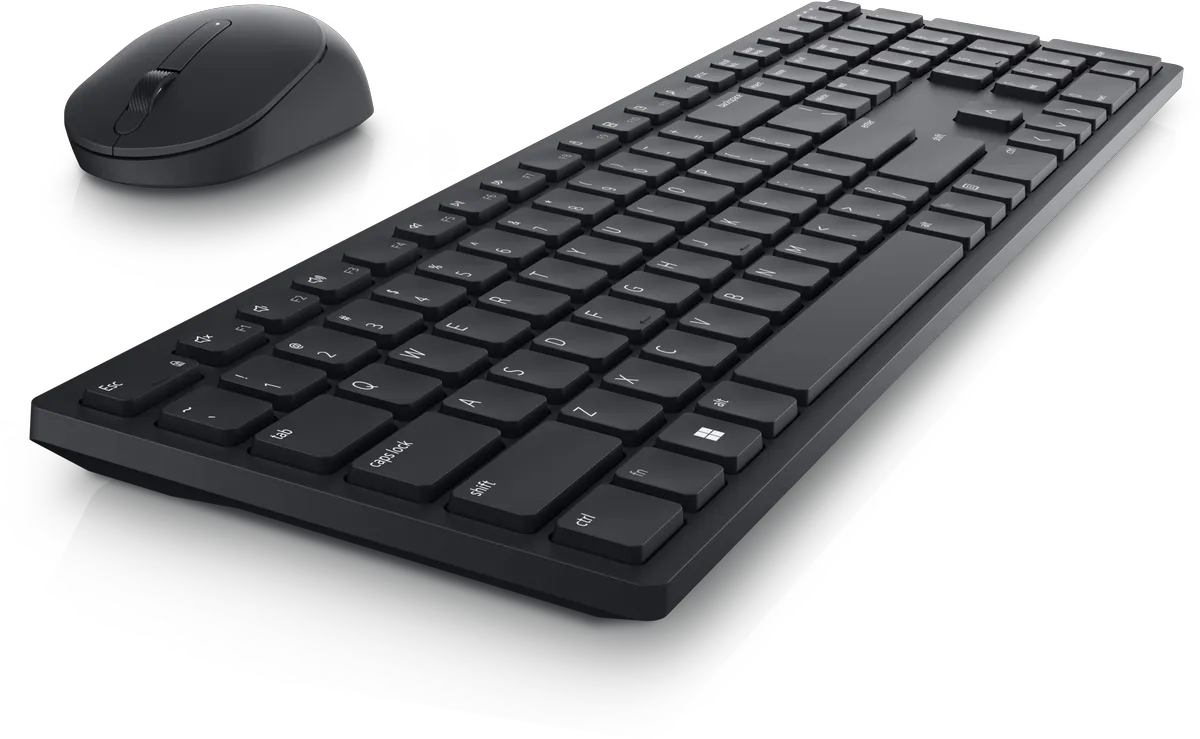
Dell Pro Keyboard and Mouse – KM5221W – US English – Black
Description
🔧 Key Features
-
Wireless Connectivity: Utilizes a 2.4 GHz wireless connection via a USB receiver for a reliable and clutter-free setup.
-
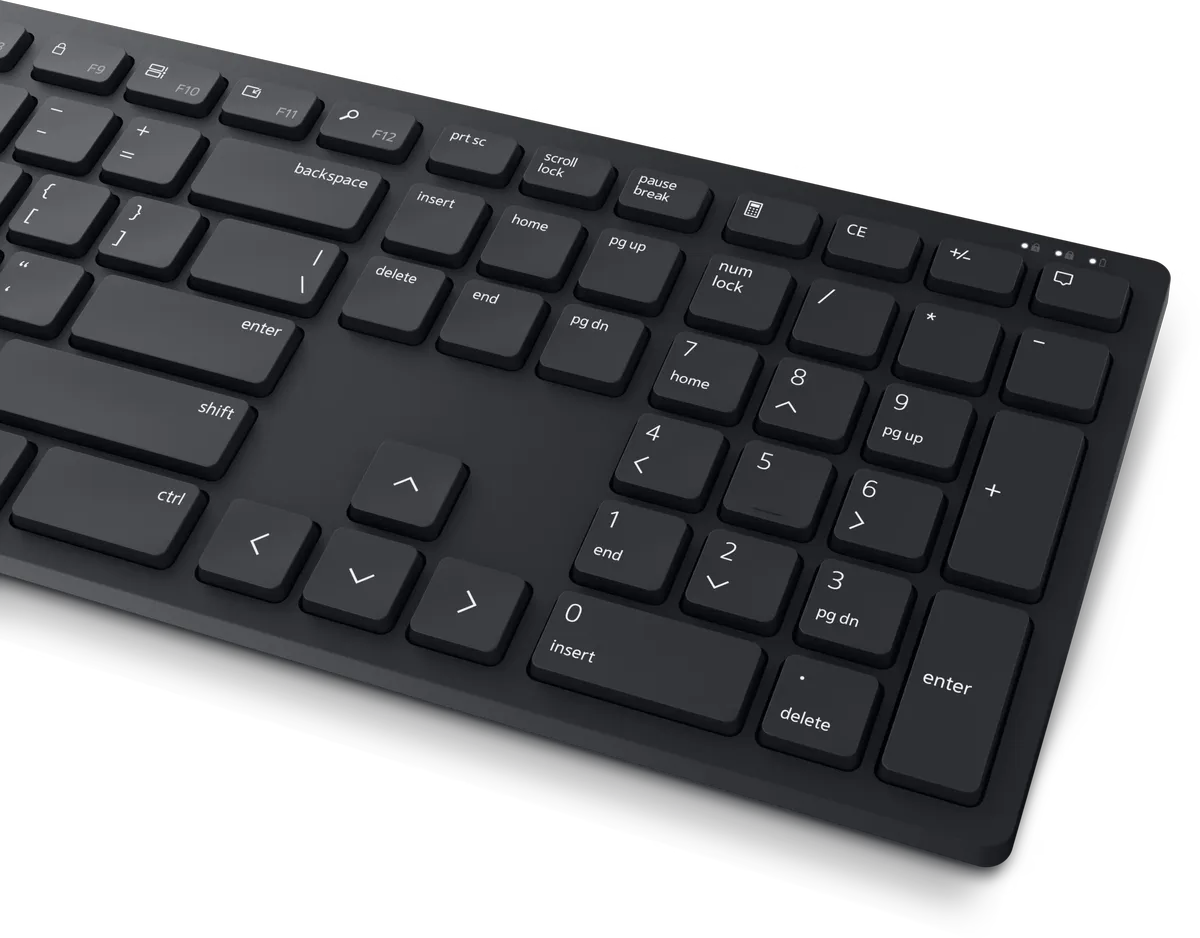
Programmable Keys: The keyboard includes 12 programmable function keys (F1–F12), and the mouse features a programmable scroll wheel click, allowing quick access to frequently used applications and functions.
-
Adjustable DPI Mouse: The optical mouse offers adjustable DPI settings at 1000, 1600 (default), 2400, and 4000, catering to various display resolutions and user preferences.
-
Long Battery Life: Designed for extended use, the keyboard and mouse can last up to 36 months on the included batteries, depending on usage.
-
Secure Data Transmission: Features 128-bit AES encryption to protect data transmission between the keyboard and connected devices.
-
Dell Peripheral Manager: Compatible with Windows 10 and later, this software allows users to customize shortcut keys, adjust DPI settings, monitor battery status, and update firmware.
📐 Technical Specifications
Keyboard (Model: KB500)
-
Layout: US English
-
Key Type: Plunger keys
-
Multimedia Keys: 6 (Volume Up, Volume Down, Mute, Play/Pause, Forward, Backward)
-
Tilt Adjustment: 5° / 9°
-
Dimensions: 17.05 in (433 mm) x 4.85 in (123 mm) x 1.34 in (34 mm)
-
Weight: 0.88 lbs (400 g)
-
Battery: 2 x AAA (included)
Mouse (Model: MS300)
-
Design: Ambidextrous
-
Buttons: 3 (including 1 programmable)
-
Movement Detection: Optical
-
DPI Settings: 1000, 1600 (default), 2400, 4000
-
Dimensions: 4.5 in (114.3 mm) x 2.4 in (60.96 mm) x 1.5 in (38.1 mm)
-
Weight: 2.3 oz (65.2 g)
-
Battery: 1 x AA (included)
💻 Compatibility
-
Operating Systems: Compatible with Windows 7, 8.1, 10, and 11; macOS; Linux (Red Hat Enterprise 8.0 / Ubuntu 18.04); Chrome OS; and Android OS.
-
Software: Dell Peripheral Manager is available for Windows 10 and later.
Description
🔧 Key Features
-
Wireless Connectivity: Utilizes a 2.4 GHz wireless connection via a USB receiver for a reliable and clutter-free setup.
-
Programmable Keys: The keyboard includes 12 programmable function keys (F1–F12), and the mouse features a programmable scroll wheel click, allowing quick access to frequently used applications and functions.
-
Adjustable DPI Mouse: The optical mouse offers adjustable DPI settings at 1000, 1600 (default), 2400, and 4000, catering to various display resolutions and user preferences.
-
Long Battery Life: Designed for extended use, the keyboard and mouse can last up to 36 months on the included batteries, depending on usage.
-
Secure Data Transmission: Features 128-bit AES encryption to protect data transmission between the keyboard and connected devices.
-
Dell Peripheral Manager: Compatible with Windows 10 and later, this software allows users to customize shortcut keys, adjust DPI settings, monitor battery status, and update firmware.
📐 Technical Specifications
Keyboard (Model: KB500)
-
Layout: US English
-
Key Type: Plunger keys
-
Multimedia Keys: 6 (Volume Up, Volume Down, Mute, Play/Pause, Forward, Backward)
-
Tilt Adjustment: 5° / 9°
-
Dimensions: 17.05 in (433 mm) x 4.85 in (123 mm) x 1.34 in (34 mm)
-
Weight: 0.88 lbs (400 g)
-
Battery: 2 x AAA (included)
Mouse (Model: MS300)
-
Design: Ambidextrous
-
Buttons: 3 (including 1 programmable)
-
Movement Detection: Optical
-
DPI Settings: 1000, 1600 (default), 2400, 4000
-
Dimensions: 4.5 in (114.3 mm) x 2.4 in (60.96 mm) x 1.5 in (38.1 mm)
-
Weight: 2.3 oz (65.2 g)
-
Battery: 1 x AA (included)
💻 Compatibility
-
Operating Systems: Compatible with Windows 7, 8.1, 10, and 11; macOS; Linux (Red Hat Enterprise 8.0 / Ubuntu 18.04); Chrome OS; and Android OS.
-
Software: Dell Peripheral Manager is available for Windows 10 and later.
Reviews
Sign in to leave a review