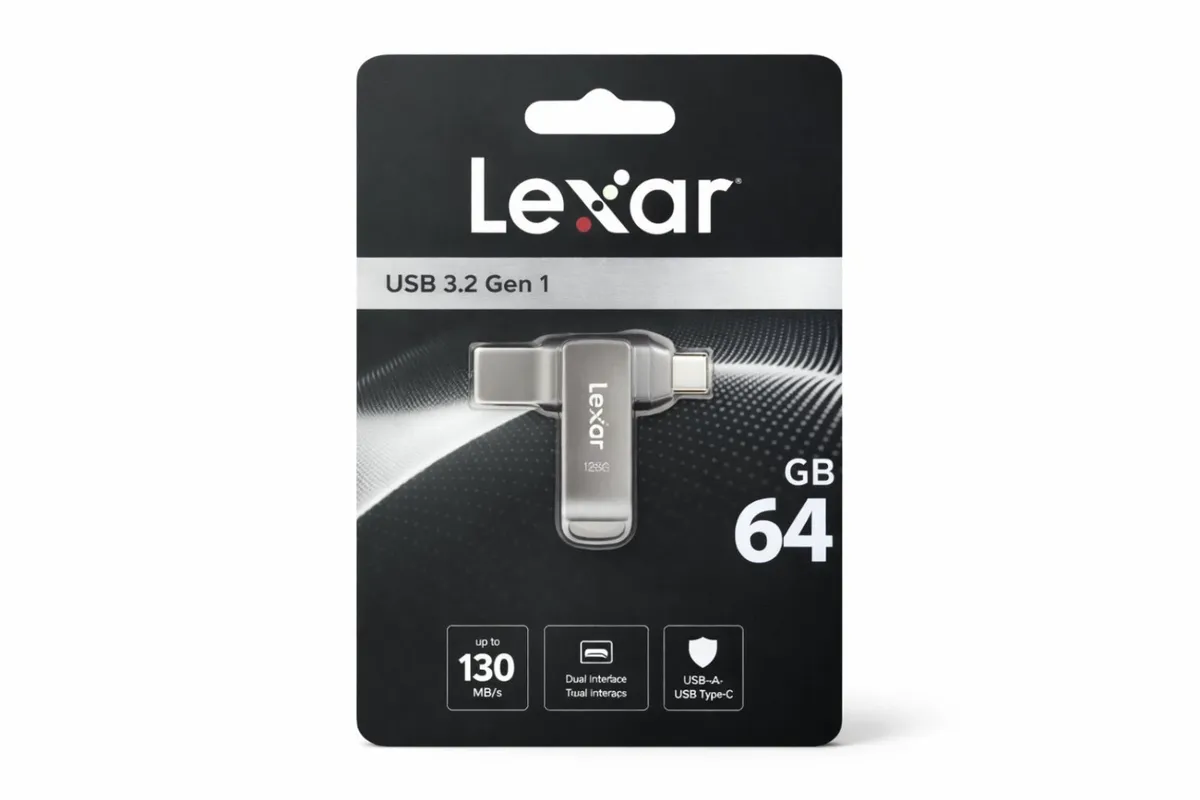

Lexar 64GB JumpDrive Dual Drive D400 USB 3.1 Type-C and Type-A Flash Drive for Storage Expansion and Backup, Up to 130MB/s Read, Metal Housing & Swivel Design, Titanium (LJDD400064G-BNQNG))
Description
Description
The Lexar JumpDrive Dual Drive D400 64 GB USB 3.2 Gen 1 is a dual‑connector USB flash drive designed for quick and easy file storage and transfer across modern and older devices. It combines a USB Type‑C connector (for newer phones, tablets, and laptops) with a USB Type‑A connector (for traditional computers), letting you move data without adapters. It uses USB 3.2 Gen 1 for faster transfer speeds than older USB 2.0 drives. The drive’s compact metal swivel design protects the connectors and includes a key ring loop, making it convenient for travel and everyday use.
Key Features
-
Dual USB Connectors: Has both USB Type‑C and USB Type‑A ports, so you can connect directly to both newer and older devices without extra adapters.
-
USB 3.2 Gen 1 Interface: Offers much faster data transfers compared with USB 2.0 drives (up to about 130 MB/s read speeds on the 64 GB model).
-
64 GB Storage Capacity: Enough space for lots of photos, videos, documents, and presentations.
-
Durable Metal Housing: Sturdy metal case with a swivel cap and keyring loop protects the drive and makes it easy to carry.
-
Lexar DataShield Support: Optional software lets you create a password‑protected encrypted vault for sensitive files.
-
Wide Compatibility: Works with Android devices, Windows PCs, and Macs (may require formatting).
-
Plug‑and‑Play: No special software is usually needed—just insert and use.
Dual USB Connectors: Has both USB Type‑C and USB Type‑A ports, so you can connect directly to both newer and older devices without extra adapters.
USB 3.2 Gen 1 Interface: Offers much faster data transfers compared with USB 2.0 drives (up to about 130 MB/s read speeds on the 64 GB model).
64 GB Storage Capacity: Enough space for lots of photos, videos, documents, and presentations.
Durable Metal Housing: Sturdy metal case with a swivel cap and keyring loop protects the drive and makes it easy to carry.
Lexar DataShield Support: Optional software lets you create a password‑protected encrypted vault for sensitive files.
Wide Compatibility: Works with Android devices, Windows PCs, and Macs (may require formatting).
Plug‑and‑Play: No special software is usually needed—just insert and use.

Description
Description
The Lexar JumpDrive Dual Drive D400 64 GB USB 3.2 Gen 1 is a dual‑connector USB flash drive designed for quick and easy file storage and transfer across modern and older devices. It combines a USB Type‑C connector (for newer phones, tablets, and laptops) with a USB Type‑A connector (for traditional computers), letting you move data without adapters. It uses USB 3.2 Gen 1 for faster transfer speeds than older USB 2.0 drives. The drive’s compact metal swivel design protects the connectors and includes a key ring loop, making it convenient for travel and everyday use.
Key Features
-
Dual USB Connectors: Has both USB Type‑C and USB Type‑A ports, so you can connect directly to both newer and older devices without extra adapters.
-
USB 3.2 Gen 1 Interface: Offers much faster data transfers compared with USB 2.0 drives (up to about 130 MB/s read speeds on the 64 GB model).
-
64 GB Storage Capacity: Enough space for lots of photos, videos, documents, and presentations.
-
Durable Metal Housing: Sturdy metal case with a swivel cap and keyring loop protects the drive and makes it easy to carry.
-
Lexar DataShield Support: Optional software lets you create a password‑protected encrypted vault for sensitive files.
-
Wide Compatibility: Works with Android devices, Windows PCs, and Macs (may require formatting).
-
Plug‑and‑Play: No special software is usually needed—just insert and use.
Dual USB Connectors: Has both USB Type‑C and USB Type‑A ports, so you can connect directly to both newer and older devices without extra adapters.
USB 3.2 Gen 1 Interface: Offers much faster data transfers compared with USB 2.0 drives (up to about 130 MB/s read speeds on the 64 GB model).
64 GB Storage Capacity: Enough space for lots of photos, videos, documents, and presentations.
Durable Metal Housing: Sturdy metal case with a swivel cap and keyring loop protects the drive and makes it easy to carry.
Lexar DataShield Support: Optional software lets you create a password‑protected encrypted vault for sensitive files.
Wide Compatibility: Works with Android devices, Windows PCs, and Macs (may require formatting).
Plug‑and‑Play: No special software is usually needed—just insert and use.
Reviews
Sign in to leave a review