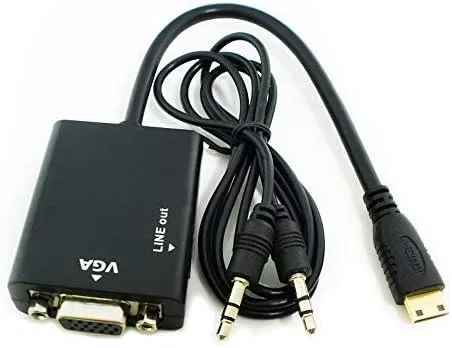
Mini HDMI (M) to VGA (F) Adapter (20 cm)
Description
DESCRIPTION
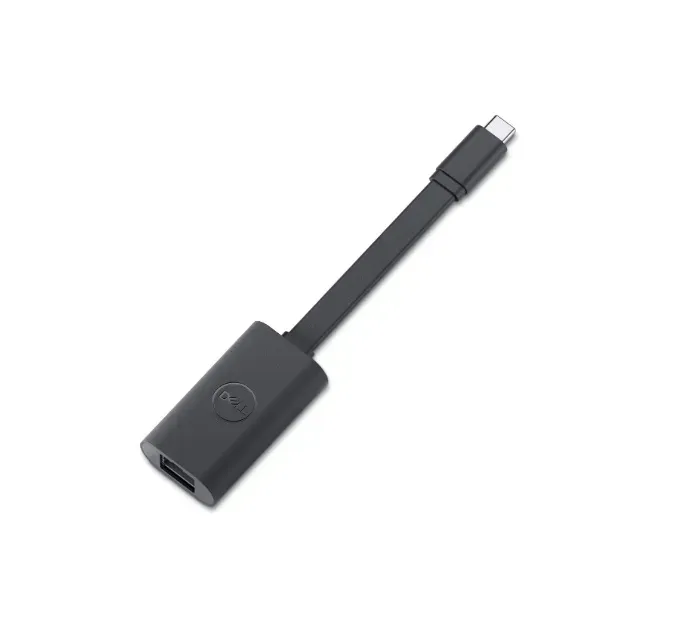
Mini HDMI to VGA adapter cable lets you connect devices with a Mini HDMI output (Type C) — such as tablets, ultrabooks, cameras or camcorders — to a VGA display (monitor, projector or older screen) that uses an analog VGA signal. It actively converts the digital HDMI signal into an analog VGA signal so your VGA-only display can show video from newer devices that don’t have VGA ports.
Key Features:
-
Connector Type: Mini HDMI (male) → VGA (female) — requires a VGA cable plugged into the adapter.
-
Signal Conversion: Built-in active converter chip translates digital HDMI to analog VGA — one-way only (HDMI → VGA).
-
Length: Approx. 20 cm cable / adapter — compact and portable. Typical adapters are short to minimize signal loss.
-
Resolution Support: Usually supports up to 1920×1080 (1080p) and in many cases up to 1920×1200 (depending on model and connected hardware).
-
Plug & Play: No drivers or software installation — just plug into the Mini HDMI port and connect a VGA cable to your display.
-
Audio: VGA does not carry audio — video only. Some adapters include a separate audio port (optional).
-
Power: Most adapters are powered by the Mini HDMI port itself; some models may require USB power in rare cases.

Description
DESCRIPTION
Mini HDMI to VGA adapter cable lets you connect devices with a Mini HDMI output (Type C) — such as tablets, ultrabooks, cameras or camcorders — to a VGA display (monitor, projector or older screen) that uses an analog VGA signal. It actively converts the digital HDMI signal into an analog VGA signal so your VGA-only display can show video from newer devices that don’t have VGA ports.
Key Features:
-
Connector Type: Mini HDMI (male) → VGA (female) — requires a VGA cable plugged into the adapter.
-
Signal Conversion: Built-in active converter chip translates digital HDMI to analog VGA — one-way only (HDMI → VGA).
-
Length: Approx. 20 cm cable / adapter — compact and portable. Typical adapters are short to minimize signal loss.
-
Resolution Support: Usually supports up to 1920×1080 (1080p) and in many cases up to 1920×1200 (depending on model and connected hardware).
-
Plug & Play: No drivers or software installation — just plug into the Mini HDMI port and connect a VGA cable to your display.
-
Audio: VGA does not carry audio — video only. Some adapters include a separate audio port (optional).
-
Power: Most adapters are powered by the Mini HDMI port itself; some models may require USB power in rare cases.
Reviews
Sign in to leave a review