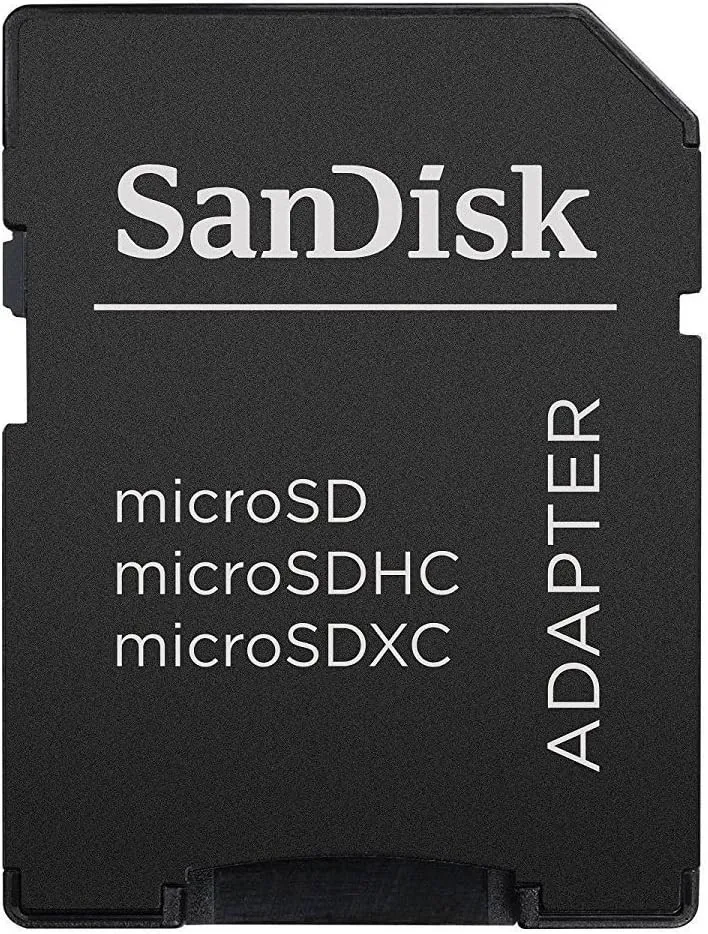
SanDisk MicroSDHC to SD Card Adapter – High-Speed Memory Card Converter
Description
DESCRIPTION
A SanDisk microSDHC adapter (often called a microSD to SD adapter) is a small plastic accessory that lets you use a microSDHC memory card in a standard SD card slot — such as the ones in laptops, cameras, printers, video game consoles, and card readers. It does not store data itself; instead, it holds your tiny microSDHC card so a device with a full‑size SD slot can read it.Key Features
-
Converts the card format — the adapter has a slot where you insert your microSDHC card; then you can plug the adapter into any device that accepts standard SD cards.
-
Write‑protection switch — most adapters include a small switch on the side to enable or disable write protection, preventing accidental deletion or modification of data.
-
Compatibility — works with microSD, microSDHC, and microSDXC cards, provided the host device supports the card format.
-
Physical size — the adapter is the same size as a standard SD card (about 24 mm × 32 mm × 2.1 mm), while the microSDHC card that fits inside it is much smaller (about 15 mm × 11 mm × 1 mm).
Converts the card format — the adapter has a slot where you insert your microSDHC card; then you can plug the adapter into any device that accepts standard SD cards.
Write‑protection switch — most adapters include a small switch on the side to enable or disable write protection, preventing accidental deletion or modification of data.
Compatibility — works with microSD, microSDHC, and microSDXC cards, provided the host device supports the card format.
Physical size — the adapter is the same size as a standard SD card (about 24 mm × 32 mm × 2.1 mm), while the microSDHC card that fits inside it is much smaller (about 15 mm × 11 mm × 1 mm).
How It’s Used
-
Insert your microSDHC card into the adapter’s slot.
-
Slide the adapter into a device’s normal SD card slot.
-
The device will now see the storage and read/write files as if it were a regular SD card.
Insert your microSDHC card into the adapter’s slot.
Slide the adapter into a device’s normal SD card slot.
The device will now see the storage and read/write files as if it were a regular SD card.

Description
DESCRIPTION
A SanDisk microSDHC adapter (often called a microSD to SD adapter) is a small plastic accessory that lets you use a microSDHC memory card in a standard SD card slot — such as the ones in laptops, cameras, printers, video game consoles, and card readers. It does not store data itself; instead, it holds your tiny microSDHC card so a device with a full‑size SD slot can read it.Key Features
-
Converts the card format — the adapter has a slot where you insert your microSDHC card; then you can plug the adapter into any device that accepts standard SD cards.
-
Write‑protection switch — most adapters include a small switch on the side to enable or disable write protection, preventing accidental deletion or modification of data.
-
Compatibility — works with microSD, microSDHC, and microSDXC cards, provided the host device supports the card format.
-
Physical size — the adapter is the same size as a standard SD card (about 24 mm × 32 mm × 2.1 mm), while the microSDHC card that fits inside it is much smaller (about 15 mm × 11 mm × 1 mm).
Converts the card format — the adapter has a slot where you insert your microSDHC card; then you can plug the adapter into any device that accepts standard SD cards.
Write‑protection switch — most adapters include a small switch on the side to enable or disable write protection, preventing accidental deletion or modification of data.
Compatibility — works with microSD, microSDHC, and microSDXC cards, provided the host device supports the card format.
Physical size — the adapter is the same size as a standard SD card (about 24 mm × 32 mm × 2.1 mm), while the microSDHC card that fits inside it is much smaller (about 15 mm × 11 mm × 1 mm).
How It’s Used
-
Insert your microSDHC card into the adapter’s slot.
-
Slide the adapter into a device’s normal SD card slot.
-
The device will now see the storage and read/write files as if it were a regular SD card.
Insert your microSDHC card into the adapter’s slot.
Slide the adapter into a device’s normal SD card slot.
The device will now see the storage and read/write files as if it were a regular SD card.
Reviews
Sign in to leave a review